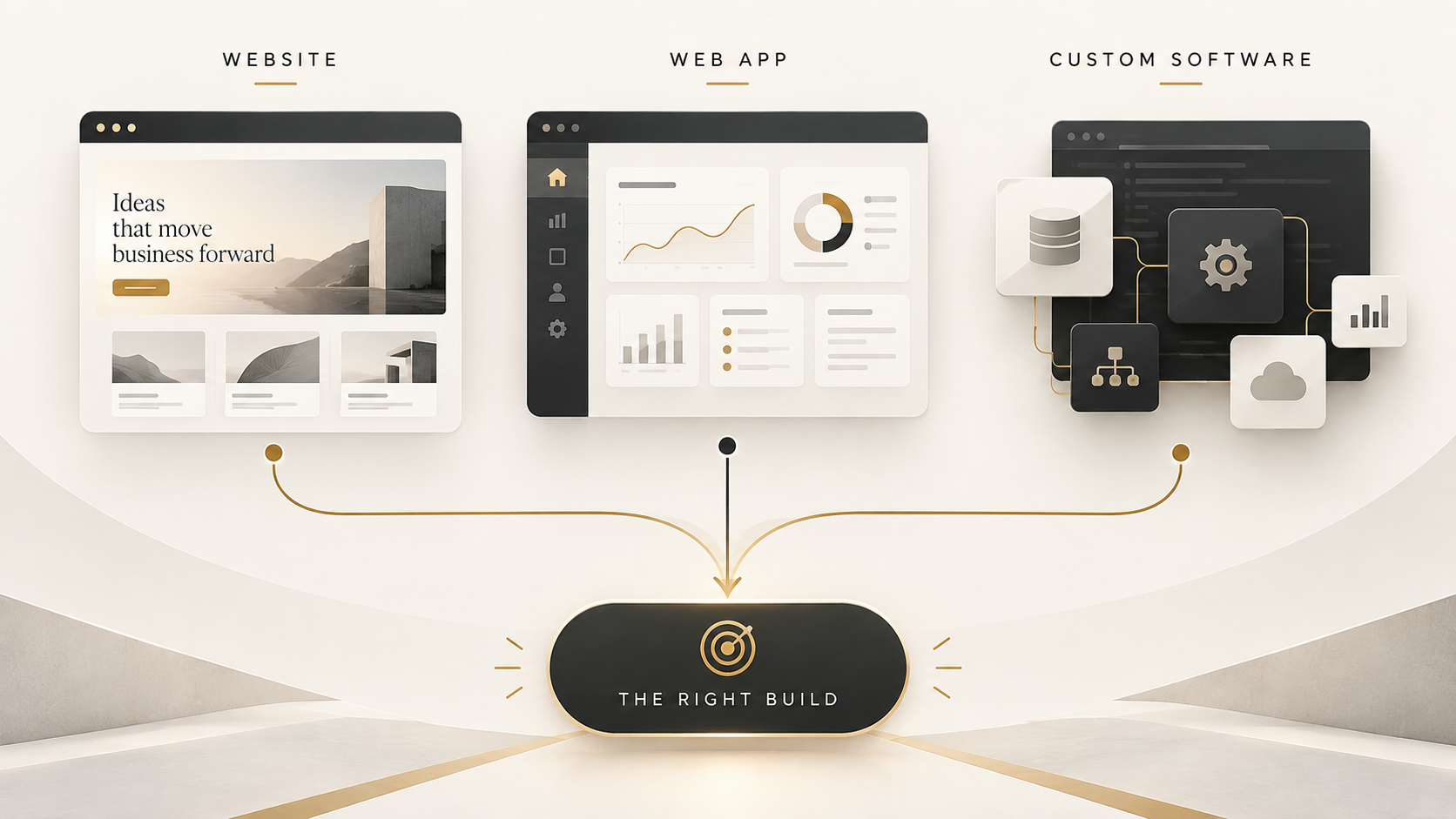
A website, web application, and custom software can all run in a browser and share the same visual language. That is why choosing between them by appearance or terminology often leads to the wrong brief.
Start with the job the product must do. Who uses it? What must they complete? What data persists? Which systems must connect? What rules, permissions, failure states, and maintenance responsibilities exist?
The right answer is usually the simplest architecture that supports those requirements reliably. It may be a website, a web app, custom software, or a deliberate combination of all three.
Key takeaways
- A website primarily communicates, publishes information, and supports discovery or straightforward public actions.
- A web app lets users perform meaningful interactive tasks through a browser and commonly maintains user-specific state.
- Custom software is designed around specific workflows, rules, integrations, or operational requirements.
- More custom technology is not automatically better.
- Choose based on users, workflows, data, integrations, and future operational needs.
Start with the job the product needs to do
Terminology should follow requirements. A product called a “portal” might be a small authenticated web app. A “website” might include a booking flow and customer account. An “internal tool” might coordinate several services and a mobile interface.
Write the core user journey in plain language before discussing frameworks or platforms. For example: a prospective customer compares services and submits an enquiry; a registered operator reviews assigned cases and updates their status; or a manager approves an exception that then updates two existing systems.
This reveals the architecture drivers. Publishing and discovery point toward a website. Identity, stored state, and interactive workflows point toward an application. Unique rules, integrations, or operating constraints may justify custom software.
What is a website?
A website primarily publishes information and supports public discovery. Typical components include marketing or service pages, editorial content, contact and lead flows, a content management system, and straightforward transactions that do not depend on substantial user-specific workflow.
A website can still be dynamic and interactive. Forms, search, calculators, booking steps, personalisation, and content fetched from a server do not automatically make the whole product a web app. The distinction is about the product's primary job and the depth of state and business logic it must manage.
MDN's web standards model describes how client-side technologies produce the browser experience while server-side code can generate dynamic content from data. Modern websites often combine both.
What is a web application?
A web application lets people perform meaningful tasks through the browser. It often includes accounts, authentication, dashboards, saved state, user-specific actions, business rules, APIs, and integrations with other systems.
Examples might include a customer portal, a scheduling workspace, an approvals dashboard, a collaborative planning tool, or a browser-based operational system. These are illustrative categories; the correct design depends on the actual workflow.
The server commonly validates requests, controls access, reads and writes databases, and decides what each user may see or do. MDN's introduction to server-side programming explains these responsibilities and why client and server concerns differ even when both are written in JavaScript.
What is custom software?
Custom software is built around specific business requirements rather than adopted as a standard off-the-shelf product. It may be browser-based, mobile, desktop, a backend or internal system, an API or service, or a combination.
The defining characteristic is not its visual complexity. It is the deliberate implementation of a particular workflow, data model, permission structure, integration landscape, or proprietary operating logic.
Custom software is justified when its fit creates meaningful operational value or when available products impose unacceptable compromises. It is not automatically the right answer: custom systems create continuing responsibilities for security, maintenance, support, data stewardship, and evolution.
Website vs web app vs custom software
Dimension | Website | Web application | Custom software |
|---|---|---|---|
Primary purpose | Communicate, publish, support discovery and public actions | Enable interactive user tasks in a browser | Support specific business workflows or capabilities |
Users | Mostly public visitors and content teams | Identified users, customers, staff, or partners | Any defined internal or external user group |
Authentication | Optional or limited | Common and often central | Defined by the system's roles and risk |
Persistent data | Primarily content, enquiries, and simple transactions | User records, saved state, activity, and workflow data | Domain-specific records and system state |
Business logic | Usually limited or supporting | Moderate to substantial | Tailored to unique rules and operations |
Integrations | Analytics, CMS, forms, payments, scheduling | APIs, identity, payments, notifications, external systems | Potentially deep integration across multiple systems |
Typical complexity | Lower when content-led | Higher because of state, identity, and workflows | Varies from a focused service to a multi-channel platform |
Content management | Often a primary requirement | Usually one part of a broader product | Included only where the workflow needs it |
Examples of fit | Company site, service site, publication | Portal, dashboard, booking or collaboration tool | Internal operations, proprietary platform, integration service |
These columns are not rigid boxes. A custom product can be a web app; a website can contain an authenticated application; and a public website may rely on custom backend services. The comparison is a way to expose requirements, not to assign a permanent label.
Choose a website when…
Information, discovery, and trust are the primary user needs.
The business needs marketing or service presentation and editorial publishing.
The main conversion is an enquiry, subscription, booking, purchase, or another straightforward public action.
Most visitors do not need accounts or long-lived personalised state.
A content team needs to update pages without changing application logic.
A well-designed website can be strategically important and technically sophisticated. Choosing a website is not choosing a lesser product; it is choosing an architecture aligned with communication and public journeys.
Choose a web app when…
Users need to sign in and see information specific to them.
People create, manage, or collaborate on persistent data.
Dashboards, multi-step workflows, approvals, or personalised state are central.
The browser is the preferred delivery channel for an operational tool.
The product must coordinate business logic and APIs behind an interactive interface.
If offline operation, installation, notifications, or deeper device integration matter, investigate whether a progressive web app or a platform-specific app is appropriate. MDN notes that progressive web apps use web technologies while adding capabilities such as installation and optional offline or background operation. Those capabilities should be selected from user requirements, not added by default.
Choose custom software when…
The workflow is sufficiently unique that standard products force major compromises.
Multiple systems need reliable integration and coordinated business rules.
Specialised permissions, audit requirements, or exception handling are essential.
Proprietary operational logic creates real business value.
Important automation depends on a domain-specific data model or sequence of work.
The organisation accepts ongoing ownership of maintenance and improvement.
First test whether configuration, integration, or a focused extension of an existing product can solve the problem. Building custom software for a commodity capability can create cost and risk without creating differentiation.
Sometimes the correct answer is a combination
Many useful digital products combine a public website, an authenticated web application, and backend services or integrations. The public site explains the offer and supports discovery. The application handles user-specific work. Backend components enforce rules, store data, and connect external systems.
These parts can share design, identity, and infrastructure while keeping their responsibilities clear. Public content can remain fast and accessible without carrying the full application bundle. Authenticated workflows can evolve behind a stable boundary. Integrations can be secured and monitored independently.
Questions to answer before choosing
Who uses the product, and what outcome are they trying to reach?
Is access public, authenticated, role-based, or a mixture?
What actions must users complete from beginning to end?
What data is stored, who owns it, and how sensitive is it?
Which systems, APIs, or manual processes must connect?
What permissions, approvals, and audit trails are required?
What happens when a user, dependency, payment, or integration fails?
How often will content, rules, and workflows change?
Who will operate, support, secure, and maintain the product?
Do mobile, offline, notification, or device capabilities materially affect the job?
Accessibility belongs in this requirements work, not in a final compliance pass. W3C's planning and managing accessibility guidance recommends integrating accessibility throughout production, evaluating early and regularly, and sustaining monitoring and user feedback.
Do not confuse an MVP with a low-quality product
A minimum viable product is the smallest useful, testable scope that can answer an important question. It is not permission to ignore security, accessibility, data integrity, failure handling, or maintainability.
Reduce scope by serving fewer user roles, supporting one workflow, limiting integrations, or postponing secondary features. Do not reduce quality by making the central task unreliable or unsafe.
Security also needs to be part of the development lifecycle. NIST's Secure Software Development Framework provides high-level practices that can be integrated into different software development lifecycles rather than treated as a separate activity after release.
Common mistakes
Choosing a technology or framework before defining requirements.
Building custom software for a problem that a suitable standard product already solves.
Forcing complex operational workflows into a marketing CMS.
Overbuilding version one before testing the highest-risk assumption.
Ignoring the admin and internal work required to operate the product.
Treating authentication, permissions, and security as later additions.
Launching without a realistic maintenance and ownership plan.
Confusing visual polish with the underlying architecture.
A practical decision framework
Define the primary users and their context.
Describe the complete task they must accomplish.
Identify the data that enters, changes, persists, and leaves the system.
Map required integrations and their failure modes.
Document business rules, permissions, approvals, and exceptions.
Choose the simplest viable architecture that satisfies those requirements.
Prototype the highest-risk workflow or integration first.
Plan how the product will be operated, secured, measured, and maintained.
If the decision is still unclear, start with a short discovery exercise rather than a premature build. RISPU's Websites, Software & Apps service begins with users, workflows, data, and operating constraints so the architecture follows the work.
Final perspective
The best choice is not the most technically impressive. It is the simplest architecture that supports the product's real users and work reliably today while leaving a sensible path to evolve.
A website may be exactly right for discovery and conversion. A web app may be necessary for authenticated, stateful work. Custom software may be justified by a unique workflow or integration. A combination may be the clearest answer when public communication and operational work need different surfaces.
To define the boundary before choosing the build, send RISPU a project brief describing the users, tasks, data, systems, and constraints that matter.